
If your team is screening high applicant volume across remote roles, the wrong assessment setup costs you time, adds admin, and leads to weak shortlists.
I’d narrow the buying decision to four checks: whether the tool is validated for job use, how well it tests the skills you hire for, how cleanly it fits your ATS, and whether the price works for your hiring volume. That matters most for scaling teams in SaaS, Technology, IT, Fintech, Engineering, Security, Insurance, and Professional Services, where hiring delays can slow revenue, product delivery, and team output.
From the article, the split is clear:
- Broad multi-role screening tools suit mixed hiring across support, sales, ops, and business teams
- Technical assessment tools suit engineering and data hiring where code quality and test controls matter
- Video-first platforms suit structured interview workflows at scale
- Behavioural and psychometric tools suit early-career, leadership, and volume hiring where fit and potential matter
A 2024 survey cited in the article found 72% of employers now choose skills assessments over résumés, and 63% use skills-based assessments in some form. That tells me the question is no longer whether to assess early. It is which type of assessment gives you better hiring output with less manual work.
10 Best Candidate Assessment Tools
sbb-itb-a23bd6a
Quick comparison
| Tool type | Best when you need | Main buying focus | Main trade-off |
|---|---|---|---|
| Broad screening platform | One system across many non-technical roles | Lower admin, role coverage, ATS flow | Less depth for specialist technical hiring |
| Technical testing platform | Better engineer and data screening | Code quality, scoring, anti-cheat controls | Limited use outside technical roles |
| Video interview platform | Structured remote interviews at volume | Interview consistency, reporting, workflow control | Less depth in skills testing |
| Behavioural or psychometric platform | Fit, potential, and volume filtering | Trait data, audit records, workforce insight | Often needs pairing with skills tests |
If you are buying now, I’d start with your biggest hiring bottleneck, not the longest feature list. That will tell you whether you need deeper technical testing, mixed-role screening, structured interviews, or behavioural data before first-round interviews.
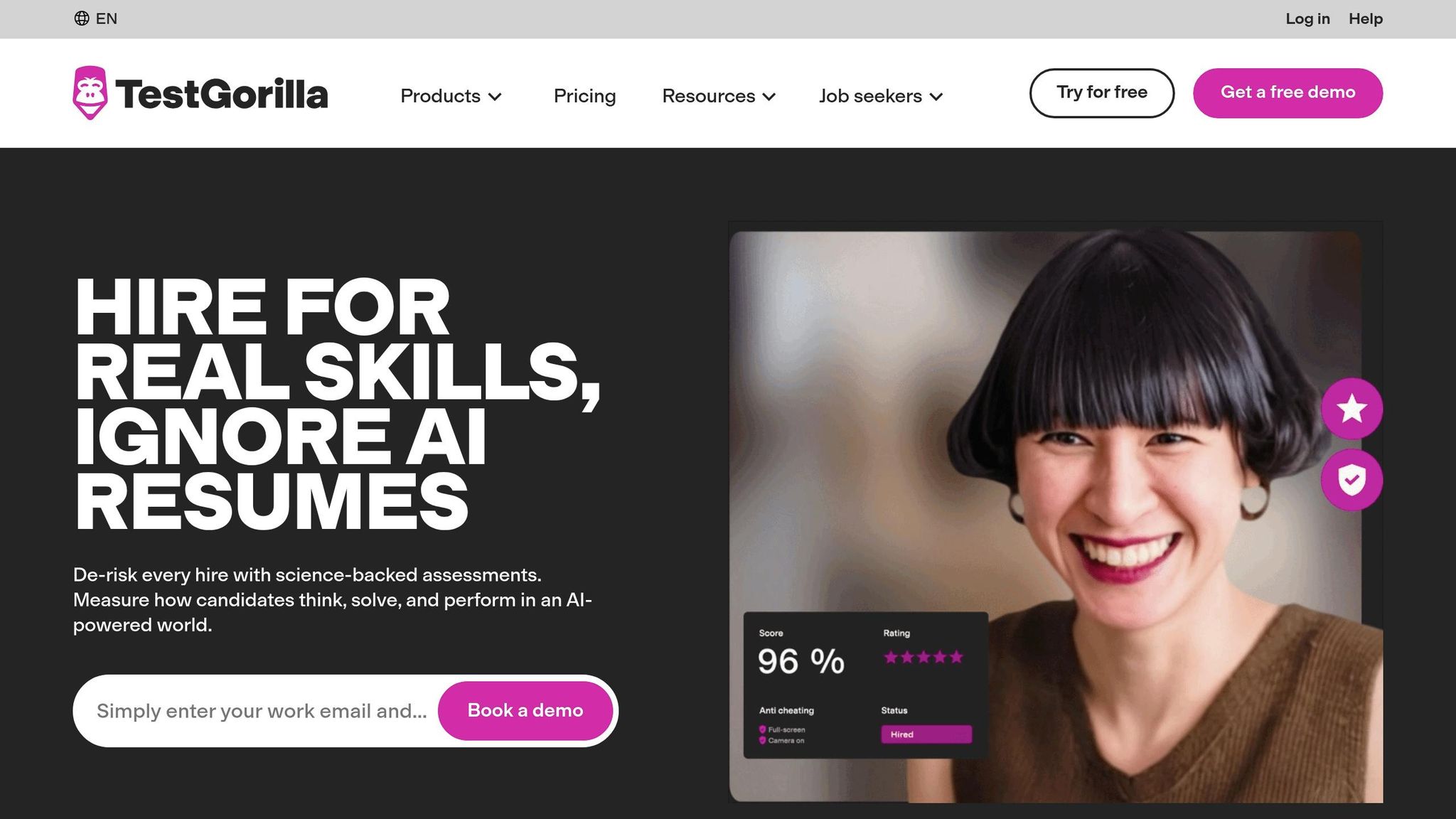
1. TestGorilla
Validation and Compliance
TestGorilla is built for repeatable pre-employment screening. Its library includes 400+ scientifically validated tests across cognitive ability, job skills, personality, values alignment, and language proficiency.[12][15] If you move up to higher-tier plans, you also get added validation, security, and compliance support.[7][8]
For hiring leaders, that matters for one simple reason: consistency. If you’re screening at volume across sales, support, operations, and tech roles, you need a process that gives you the same standard every time.
Assessment Breadth and Integrity
TestGorilla’s biggest strength is range. You are not stuck with one headline score. You can build role-specific test batteries for different hiring tracks, coding tests for engineers, language assessments for customer support, and personality or team-fit tests for screening.[12][1]
That makes it a strong option if your business is hiring across several functions at once. Instead of buying separate tools for each team, you can keep screening in one place and make the process easier to manage.
Integrity controls are a big part of that. The platform includes webcam snapshots, full-screen monitoring, tab-switch detection, IP and location logging, copy-paste blocking, randomised questions, and time limits.[4][9][13]
Used well, these controls help protect screening quality. Used too heavily, they can slow candidates down and increase drop-off. That’s the trade-off. More control is not always better if it starts hurting completion rates.
ATS Integrations and Reporting
TestGorilla connects with major ATS platforms and offers a public API on higher-tier plans, so assessment scores and candidate rankings can move into your current hiring stack.[5][12][14]
That saves time in a very practical way. Your team spends less time on manual status updates, less time copying data between systems, and less time fixing admin gaps between sourcing, screening, and interviews. Built-in analytics cover invites, completions, rejections, and hires.[3]
If you care about pipeline visibility, not just test delivery, that reporting helps you spot where candidates are falling out and where the screening step is slowing hiring down.
Pricing and Hiring Fit
Pricing starts with a free option, then moves into Core and Pro tiers that open up more tests, AI video interviews, custom tests, and ATS integrations.[6][10][11] Some users push back on credit-based pricing and annual billing, especially when candidates drop out before finishing.[16][17]
From a commercial point of view, that makes TestGorilla a better fit for teams hiring across multiple roles than for a business with one narrow hiring stream. If your company needs one screening layer that works across departments, it can make sense. If your hiring is heavily weighted toward technical roles, a deeper coding-led platform may give you tighter scoring and better role fit.
TestGorilla works best for broad, multi-role screening, especially when you want one system that can support different teams without adding admin overhead.
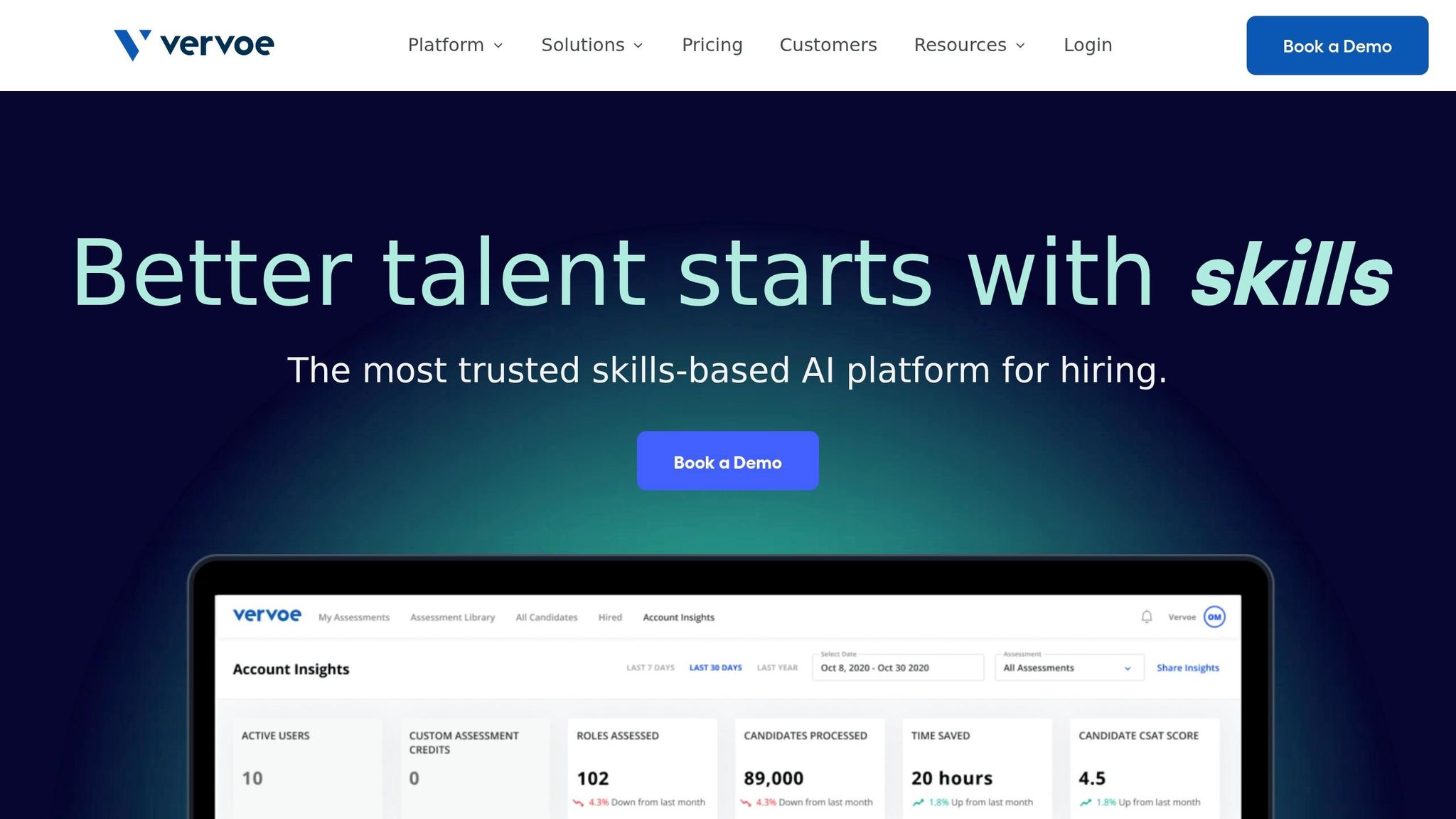
2. Vervoe
Validation and Compliance
Vervoe focuses its assessments on real job tasks and work simulations.[24][27]
On the compliance side, Vervoe is certified as bias-free under New York City’s Local Law 144 (NYC LL 144), which covers automated employment decision tools.[24] It also holds ISO/IEC 27001 certification and is GDPR-compliant, with encryption and access controls built in.[25][28]
For U.S. employers, that matters. It gives you stronger backing during vendor review and helps support a more defensible hiring process.
That puts the next comparison point in plain view: the assessment format itself, and how the platform protects assessment integrity.
Assessment Breadth and Integrity
Vervoe offers 300+ validated tests across technical and soft skills.[24] It supports multiple formats, including multiple choice, free text, video responses, and scenario tasks.[24][27] That makes it a fit for support, sales, admin, and operations roles where a CV only tells part of the story.
On integrity, Vervoe takes a lighter-touch approach. Rather than using continuous webcam proctoring, it layers geolocation flags, plagiarism detection, question randomization, time limits, and copy/paste prevention, with optional still-image identity checks.[19][20][21][29]
Its plagiarism detection can also be extended to flag copied content from web sources and AI tools.[20][26][29] The upside is clear: less friction for candidates, while still cutting down on cheating. For many hiring teams, that’s a better trade-off than heavy surveillance, especially in high-volume screening.
Once you’ve built the assessment, the next issue is usability. If results are hard to move, review, or act on, time gets lost fast.
Integrations and Analytics
Vervoe connects natively with Greenhouse and Lever, and it also supports Zapier and CSV export.[22][23][30]
That means assessments can trigger from pipeline stages, and results can flow back into candidate profiles without extra admin. For lean talent teams, that can save hours that would otherwise disappear into manual updates.
Each candidate also gets a report card with evidence-linked scores tied to their actual responses and work samples.[23][27] That’s useful for two reasons:
- You can compare candidates more consistently
- You have a clearer record behind each hiring decision
For HR leaders and hiring managers, that kind of visibility makes structured hiring easier to run and easier to defend.
Pricing and Hiring Fit
Vervoe’s pricing should be weighed against your hiring volume, team size, and total cost of ownership, including any admin controls or scale needs for larger teams.
In practice, it fits best for high-volume screening across customer-facing, operational, and mixed-skill roles, where simulations show more than resumes ever will. It’s less suited to engineering teams that need deep code execution or more specialized proctoring.
3. HackerRank
Validation and Compliance
For engineering and data roles, the big concerns are coding depth, scoring consistency, and test integrity. HackerRank is built for technical hiring. It holds SOC 2 and ISO 27001 certifications and aligns with GDPR, which matters if you are hiring across borders and need to protect candidate data.[32][39]
For U.S. employers, the practical issue is simple: do its controls support a consistent, defensible scoring process under EEOC expectations?[32][34] On that front, HackerRank is on solid ground. It standardizes test questions, scoring rules, and integrity settings across all candidates for the same role, which helps you run a more consistent process and back up hiring decisions if challenged.
Assessment Breadth and Integrity
HackerRank covers a broad range of technical assessments, including coding challenges, multiple-choice questions, database queries, and full project-style tests across languages, frameworks, and seniority levels.[31][35] Enterprise plans open up 7,500+ questions, while Pro plans include 4,000+, along with certified assessments built for specific roles.[37]
That range matters, but integrity is often what makes or breaks a technical assessment platform. HackerRank uses layered controls across prevention, detection, and verification.[32] Recruiters can turn on Secure Mode for full-screen enforcement, tab-switch detection, and copy/paste blocking. For senior or higher-risk roles, Proctor Mode adds AI-powered webcam monitoring and screenshot analysis.[31][32][35]
Its plagiarism detection combines MOSS-based code similarity checks with behavior signals such as keystroke patterns. HackerRank reports 93% accuracy in identifying copied or AI-generated code.[42][44][45] At a time when AI-assisted cheating is becoming a bigger issue, that gives hiring teams more confidence in test results.
Integrations and Analytics
Once assessments are live, the workflow around them matters just as much. Mid-tier plans connect natively with Greenhouse, Lever, and Ashby. Enterprise plans extend this to 40+ integrations, including Workday, Oracle, and Eightfold, plus SSO/SCIM for identity management.[37][41][43] That helps keep assessment data inside your ATS instead of scattered across tools.
Reporting is another strong point. Candidate reports include code submissions, execution results, and a record of proctoring events such as tab switches, copy/paste activity, and webcam anomalies.[31][33][36][38] That means hiring managers can review not just the final score, but how a candidate worked through the problem.
Teams can also track:
- Score distributions
- Question difficulty
- Pass rates by source or role
For scaling teams, that kind of visibility helps tighten hiring standards, spot weak points in the funnel, and spend less time debating assessment results.
Pricing and Hiring Fit
Pricing starts at about $165/month or $1,990/year for the Starter plan. That covers a single user and a capped question library, so it suits smaller teams or companies hiring only now and then. The Pro plan is about $375/month or $4,490/year, with more candidate attempts, more users, 4,000+ questions, and core ATS integrations. Enterprise pricing is custom.[37]
HackerRank fits best for growth-stage and enterprise teams with recurring technical hiring needs. If you hire engineers, data talent, or other technical roles at volume, the mix of integrity controls, integrations, and reporting can save time and reduce hiring risk. It is less suited to general corporate hiring or hourly roles, where that level of technical testing may be more than you need.
4. Codility
For technical hiring, Codility shifts the focus away from pure screening volume and toward defensible hiring decisions and better code quality signals.
Validation and Compliance
Codility is SOC 2 Type II audited, ISO 27001 certified, and GDPR/CCPA compliant, with data residency options in Frankfurt or Northern Virginia.[59][61][62] For teams on higher-tier plans, occupational psychologists validate assessments for job-relatedness and fairness, including adverse-impact analysis. That gives hiring teams more support when aiming for EEOC-aligned decisions.[47][52][55]
That matters most when you need assessment data you can stand over, not just a pile of test scores.
Assessment Breadth and Integrity
Codility’s library includes 1,300+ validated tasks, with more weight placed on code quality and assessment integrity.[58] It scans for leaked tasks and retires compromised items.[46][48] Its Code Health feature scores readability, structure, and maintainability, which gives you a closer proxy for on-the-job engineering output.[2]
It also runs always-on integrity signals in the background, including:
- IP checks
- Tab switches
- Paste events
- Typing patterns
- Similarity checks against known AI-generated code[46][47][48]
That approach helps teams protect assessment quality without adding friction to the candidate experience.
For higher-stakes roles, you can add webcam snapshots, screen recording, a desktop app that surfaces stealth AI tools, and photo ID verification with facial recognition.[2][49][60] Importantly, flags go to human reviewers rather than triggering automatic rejection. That keeps context and accessibility in play.[47][49][53]
Integrations and Analytics
On mid-tier and enterprise plans, Codility integrates with Greenhouse, Lever, Ashby, Workday, and SAP SuccessFactors. It also supports a full API and SSO/SAML.[2][56][57] Two features stand out here.
Weighted scoring lets your team rank the parts of the assessment that matter most for a given role. Skills Intelligence maps skill coverage across both candidates and current employees, which can help with workforce planning, internal mobility, and hiring gap analysis.[2]
Analytics also expand by plan. Standard tiers cover invite usage, completion rates, and pass/fail distributions. Enterprise analytics go deeper, with question-level performance trends and insight tied to successful hires, promotions, or retention.[2][51][54]
For hiring leaders, that means more than reporting. It gives you a way to connect assessment spend to hiring outcomes.
Pricing and Hiring Fit
Codility uses an invite-based model billed annually.[2][50][51][54] The Starter plan is around $1,200 per year with about 120 invites. The Scale plan sits at roughly $5,000 to $6,000 per year with around 300 invites, AI follow-up questions, and standard or premium analytics. Enterprise pricing is custom and includes the full library, Skills Intelligence, premium video proctoring, SSO/SAML, and assessment validation.[2][50][51][54]
In practice, invite volume is what pushes most teams into a higher tier.
Codility fits best when technical hiring is steady and defensibility matters. If you’re hiring engineers on a regular basis, the value is not just in screening. It’s in reducing hiring risk, giving managers better signals, and building a process you can defend if challenged.
If your hiring needs go beyond coding, the next platform takes a broader view with mixed-skill assessment.
5. iMocha
iMocha suits teams hiring across technical, customer-facing, and back-office roles. That makes it the broadest multi-role option in this comparison so far.
Validation and Compliance
iMocha aligns with GDPR and EEOC guidance. It also offers SOC 2 Type II, ISO 27001:2022, role-based access control, and Azure-hosted data replication.[67][72]
For hiring leaders, that matters for a simple reason: risk control. If you’re hiring at volume across regions, you need assessment data handled in a way that stands up to internal review and buyer scrutiny.
Assessment Breadth and Integrity
iMocha’s library includes 3,000+ role-based assessments and 10,000+ job-simulation tests across coding, business, cognitive, and language skills.[73][74] Its skills taxonomy is updated roughly every 90 days, which helps keep question banks current in fast-moving domains.[67]
That range is useful if you’re hiring across SaaS, Technology, IT, Fintech, Engineering, Security, Insurance, or Professional Services. Instead of stitching together separate tools for each team, you can run hiring from one platform.
Of course, a large test library only helps if the process holds up under pressure. iMocha’s Smart Proctoring includes:
- Image checks
- Full video recording with AI event markers
- Tab and window tracking
- A locked browser
- IP restriction
- ID verification
- Copy-paste blocking[64][65][66][68]
That gives you more control over test integrity, which is a big deal when assessment volume climbs and manual review becomes a drag on the team.
Integrations and Analytics
iMocha integrates with Greenhouse, Lever, SmartRecruiters, Jobvite, iCIMS, Workable, BambooHR, SAP SuccessFactors, and Workday.[67] These integrations keep assessment data inside the ATS and cut manual handoffs.
That saves time in a very plain way. Your recruiters and hiring managers spend less time moving data between systems, chasing updates, or fixing admin gaps.
Analytics include real-time skills gap analysis, skills dashboards, industry benchmarking, and proctoring violation summaries.[67][68][69] JLL reduced time-to-hire by 55%, cutting shortlisting from 3-4 weeks to about one week.[70]
For a CFO or Talent Leader, that’s the commercial angle: less admin, shorter shortlist cycles, and better visibility into hiring quality.
Pricing and Hiring Fit
Public pricing starts at around $400 per month, with tiers based on volume and features.[67] iMocha fits best when you’re hiring across multiple role types and assessment volume is high.
If your business needs one platform for technical and non-technical hiring, this is where iMocha starts to make sense. The next option shifts more toward the enterprise end of the market.
6. SHL
If the earlier tools leaned toward hiring at scale or deep technical testing, SHL leans hard into governance and validated assessment. It suits enterprise teams that need audit trails, structured workflows, and assessment methods they can stand over in front of legal, HR, or procurement.
Validation and Compliance
SHL says its assessments are built around legal and scientific standards. Its tools align with EEOC and UGESP guidance, and it can include annual bias audits or third-party audits for AI-scored tools, including video interviews and coding assessments.[79][80] It also flags AI-scored assessments as falling under New York City’s AEDT law.[80]
If your team may face regulatory review, documented validation matters. SHL is built for that kind of scrutiny.
That same compliance lens runs through both its assessment library and its scoring model.
Assessment Breadth and Integrity
SHL offers more than 1,000 assessment instruments, including aptitude, personality, motivation, and knowledge tests, along with behavioral and skills assessments, coding and language simulations, 360° feedback, AI-powered video interviews, and virtual assessment and development centers.[76][77] For companies hiring across multiple job families and seniority levels, that range helps keep scoring consistent, even in remote processes.
Its main strength in remote hiring is standardized delivery and scoring. That gives you more control and less variation from one role, recruiter, or business unit to another.[77][78] SHL’s Verify cognitive tests report strong validity for verbal and numerical ability.[86][87] In one technology case study, SHL Coding Simulations cut hiring time by 60%.[84][88]
Integrations and Analytics
SHL integrates with 80+ ATS systems and offers dashboard reporting, role-based access, and both aggregate and individual results.[75][76]
That matters when hiring leaders want more than test scores. They want visibility. They want to see where bottlenecks sit, how teams compare, and whether assessment data is helping improve hiring speed or quality.
In one case study, Sonic Automotive reduced time-to-hire from about 100 days to fewer than 70 days using SHL assessments, while first-year new-hire turnover fell to 1.5%.[85]
For most enterprise teams, the decision at this point comes down to cost, rollout effort, and contract structure.
Pricing and Hiring Fit
SHL uses quote-based enterprise pricing, often tied to volume, seats, or per-assessment usage. Large deals can reach six figures, with possible implementation and validation fees.[81][82][83]
SHL fits mature teams that need validated, multi-stage assessment infrastructure with ATS-connected reporting. If you’re hiring across regions, business lines, or seniority bands, and you need a process that stands up to audit, that’s where SHL tends to earn its keep.
7. HireVue
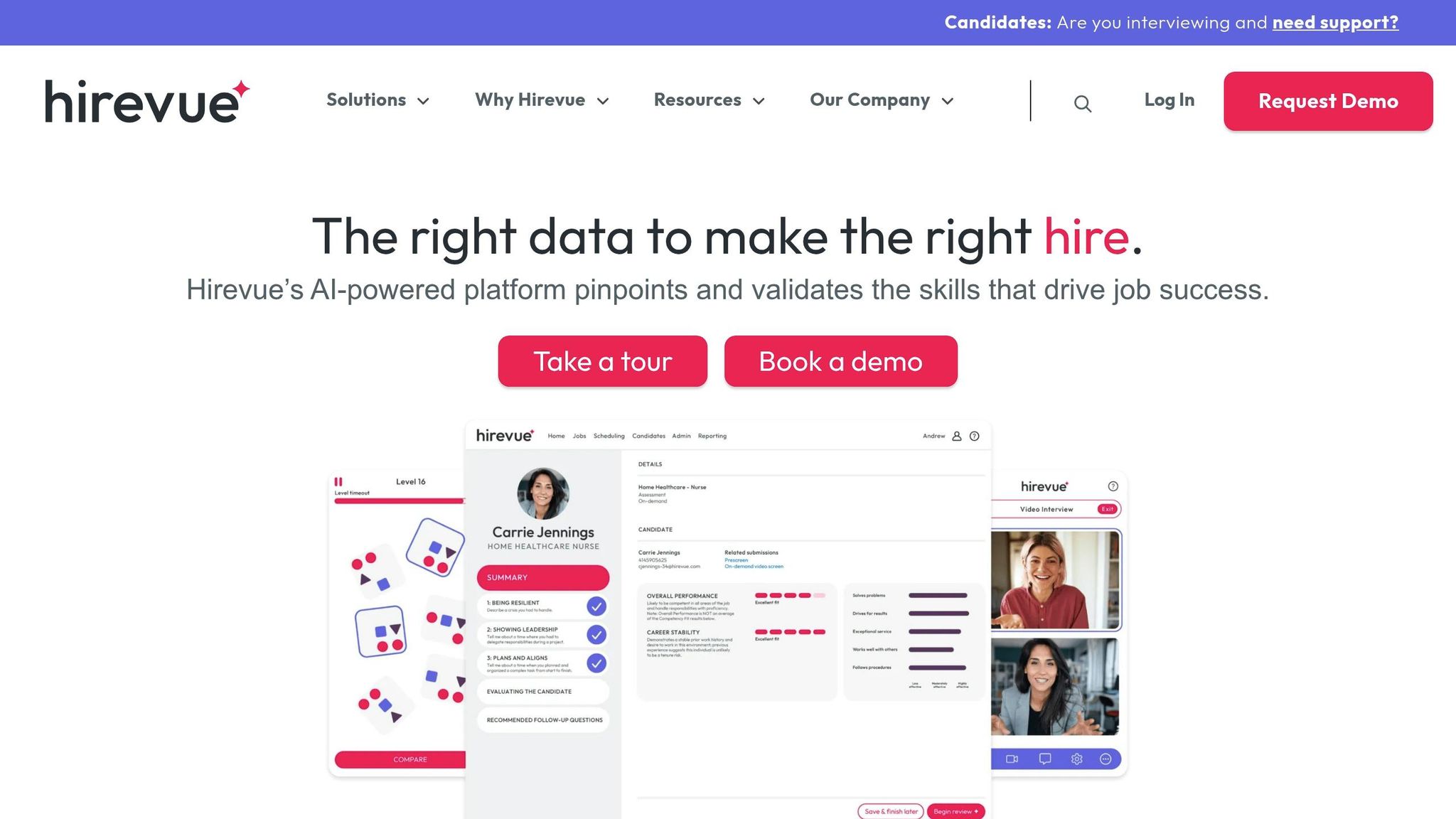
If SHL stands out for validated testing, HireVue stands out for structured video interviewing at scale. The platform is built around AI-powered video interviews and structured screening, with a clear focus on enterprise compliance.
Validation and Compliance
HireVue holds SOC 2 Type 2 certification, supports the EU-U.S. Data Privacy Framework, and is FedRAMP authorized for U.S. public sector use.[92][95][97][98] If you hire in regulated sectors or work as a government contractor, those credentials can make procurement far less painful.
HireVue has also moved away from facial-expression analysis. It now uses language and audio signals, with independent bias audits cited in support of its AI approach.[100][101][102] That shift matters if your team needs tighter governance around AI use in hiring.
Assessment Breadth and Integrity
HireVue supports one-way and live video interviews, AI screening, structured interview guides, configurable response and prep times, and, at higher tiers, game-based assessments and coding assessments.[89][91][93][94] It also supports multilingual interviews and text-to-apply workflows.
That gives hiring teams a lot to work with, especially when volume starts to climb. Standardized questions, scoring guides, and role-based permissions help cut interviewer inconsistency.[96] In remote hiring, where different interviewers can drift in style and scoring, that kind of structure helps you protect hiring quality and keep decisions easier to defend.
Integrations and Analytics
HireVue connects with Workday, Greenhouse, SAP SuccessFactors, Oracle Taleo/Oracle HCM, iCIMS, Lever, and SmartRecruiters.[94] For enterprise teams, that matters. You do not want interview tech sitting off to the side and creating more admin.
Its reporting is strongest in the enterprise tier, where the platform offers benchmark analytics, candidate comparisons across roles, and hiring cohort reporting.[89][93][96] If you want to track throughput, calibrate interviewers, or keep a tighter hiring record for compliance and audit purposes, that reporting adds more than basic video capture ever could.
Pricing and Hiring Fit
Third-party estimates put entry-level annual costs at around $35,000, with pricing rising as modules and hiring volume increase.[89][90][91][93][94] This is not a light-touch tool for occasional hiring.
HireVue tends to fit mid-market and enterprise teams best, especially those hiring at volume across multiple locations or in regulated settings. If your main goal is tighter process control, more consistent interviews, and cleaner reporting, the cost can make sense. If you want lighter screening with less interview friction, the next tool takes a different route.
8. Spark Hire
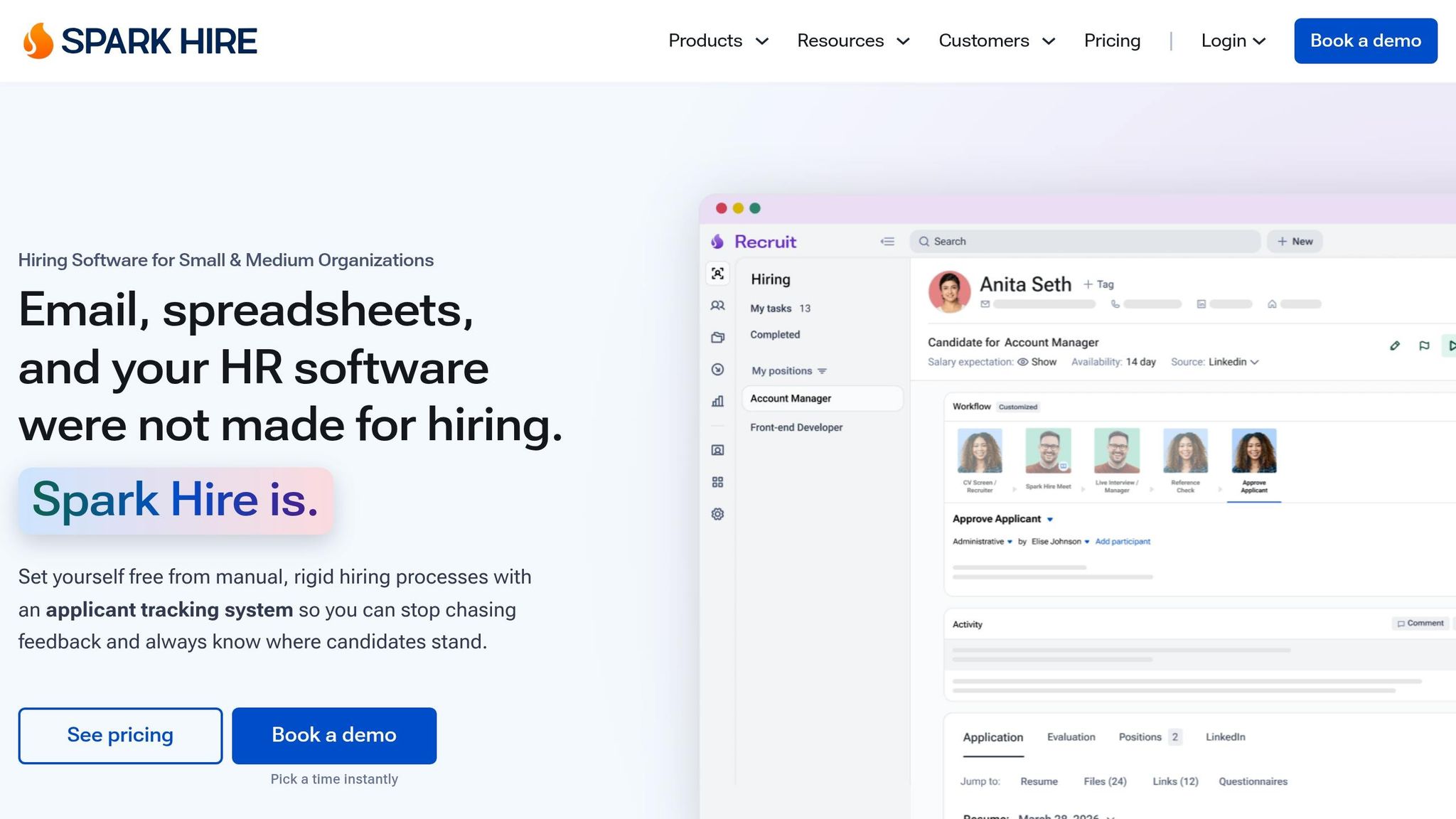
Spark Hire is a modular video-screening platform built for lean teams that want structured interviews, behavioral scoring, and an ATS in one package. The main draw is flexibility. You can add only the modules you need, instead of paying for a bloated stack.
For enterprise buyers, security is part of the pitch too. Plans include SOC 2 Type II-level security, role-based permissions, secure storage, and audit logs. Its behavioral assessment is a 20-minute, 118-question assessment scored across 138 traits. If you’re hiring for regulated or high-stakes roles, you’ll still want to run your own adverse-impact review.
Assessment Breadth and Integrity
Spark Hire covers one-way and live video interviews, behavioral assessments, automated reference checks, and AI Video Review. AI Video Review scores communication, execution, comprehension, fluency, enthusiasm, and motivation. For lean teams, that can make high-volume review far less manual and more consistent.
It does not include coding proctoring, plagiarism detection, or live coding. So while it works well for communication-heavy hiring, it is less suited to technical screening for engineering or IT roles.[106][108][111][110][112][105][113]
That puts more weight on integrations and reporting when you’re deciding if it fits your hiring model.
Integrations and Analytics
Spark Hire integrates with 40+ ATS platforms, including Greenhouse, Lever, BambooHR, JazzHR, and SmartRecruiters, along with Zapier, Chrome extensions, and an API. In practice, that helps keep invites, responses, and scores inside the candidate record instead of scattered across tools.[106][109][112][114]
Analytics cover completion rates, pipeline conversion, and drop-off. Higher tiers also include behavioral data and time-to-fill dashboards.[108][111] For hiring leaders, that matters because better visibility usually means less admin, tighter process control, and fewer delays between stages.
Pricing and Hiring Fit
Spark Hire sells video interviews, behavioral assessments, and its ATS separately. The video interview module starts at around $249 per month, billed annually, while ATS tiers range from $299 to $499 per month.[104][105][108][111][113][116]
Teams that want both modules usually land around $500 to $800 per month. That puts Spark Hire in a practical range for high-growth SMEs using talent acquisition strategies that prioritize communication-focused screening without the weight of enterprise-level complexity.[105][108][113]
It tends to fit best when your hiring success depends more on how people communicate, respond, and show fit in customer-facing environments than on deep technical testing. That is often the case in:
- SaaS
- Professional Services
- Customer-facing roles
For teams that need a different kind of candidate insight, the next section shifts from interview behavior to deeper profile signals.
9. Pymetrics
Pymetrics, now part of Harver, takes a different route from quiz-based screening or coding tests. Candidates complete about 12 to 16 game-based tasks in roughly 25 to 35 minutes, and the platform scores behaviour, not right or wrong answers. That makes it a strong fit when behavioural match matters more than hard-skill testing.
Validation and Compliance
The main selling point here is fairness-focused screening. The platform aligns with EEOC Uniform Guidelines on Employee Selection Procedures, using job analysis, criterion-related validation, construct validation, and reliability studies. [117][126]
An independent Northeastern University audit found its scoring met the four-fifths rule across EEOC groups, with impact ratios above 0.95 for gender and 0.92 for race/ethnicity. [122][128][133]
Pymetrics also developed and open-sourced Audit-AI, a bias detection tool used both internally and by external users to test ML models for demographic disparities. [129][130][132]
From a buying and risk point of view, that matters. The platform documents compliance with ISO 27001, PCI-DSS, GDPR, and SOC 2, which is a big factor for enterprise procurement and for handling candidate PII at scale. [124][126]
Assessment Breadth and Integrity
Because the games measure behaviour rather than knowledge, they are harder to game than standard multiple-choice tests. [123][125]
Integrity controls include:
- Time limits
- User authentication
- Consistency checks across games to flag contradictory patterns
It does this without invasive proctoring such as webcam monitoring, IP tracking, or browser tab tracking. [125]
That said, Pymetrics is not built to test hard skills like coding or advanced analytics. If you’re hiring for engineering or analytics roles, you’ll likely need to pair it with a technical assessment tool. For early-career hiring, customer-facing roles, or leadership pipelines, it can stand on its own when behavioural fit and future potential are the main drivers of success. [120][123][125][127]
The business case can be strong in volume environments. One supply chain firm used Pymetrics to assess 20,000 candidates for Package Handler roles, saving 1,800 interview hours and improving retention by 10%. [131]
Integrations and Analytics
Pymetrics pushes fit scores and trait profiles into the ATS across major enterprise platforms, including Workday, Greenhouse, SAP SuccessFactors, iCIMS, SmartRecruiters, and Oracle Taleo. [135][134][136]
Its analytics dashboards show candidate trait distributions, pass-through rates, performance, retention by demographic group, and fairness metrics. [118][121][122]
For HR and talent leaders, that gives you a clearer way to document compliance work and share findings with legal, DEI, and leadership teams. It also helps when you need to explain why a screening process is worth the spend, not just that it exists.
Pricing and Hiring Fit
Pricing is quote-based. ROI tends to be strongest in high-volume hiring such as campus recruiting, call centres, and large service teams. [119][120]
For niche or lower-volume roles, the case is a bit different. The value leans less on raw efficiency and more on quality of hire, fairness gains, and diversity goals. [120][124]
Next, compare these tools by validation, assessment breadth, integrations, and pricing.
Feature-by-Feature Comparison
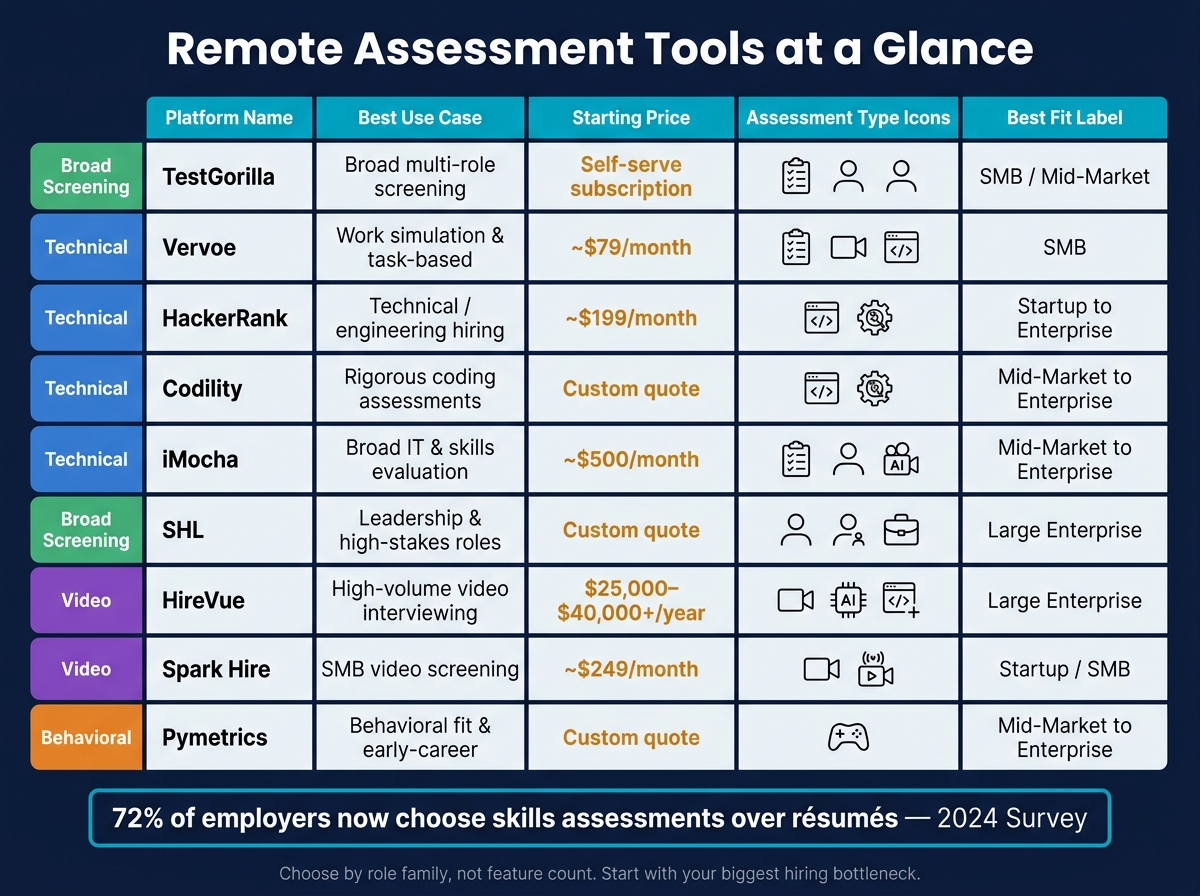
Remote Assessment Tools Compared: Features, Pricing & Best Fit
If you want a quick side-by-side view, the tables below compare these platforms across four buying factors: validation, assessment depth, integrations, and price.
For hiring leaders, this is where the decision gets practical. Some tools go deep on technical testing. Others give you broader role coverage across skills, cognitive screening, and behavior. The right choice comes down to the risk you need to manage, the hiring volume you need to handle, and how much manual work you want to take off your team.
Validation and Compliance
For U.S. employers, validation evidence and audit documentation help cut legal, privacy, and security risk.
| Platform | Validation Evidence | Key Compliance Standards | AI/Bias Audit |
|---|---|---|---|
| TestGorilla | Strong integrity controls; limited formal EEOC language [4][9][157][158] | Security/privacy documentation | – |
| Vervoe | I/O psychologist-built templates, blind evaluation, 300+ validated templates [139][142] | Security/privacy documentation | – |
| HackerRank | Technical scoring accuracy; certified assessments at higher tiers [145][37][146][152][153] | Security/privacy documentation | – |
| Codility | Technical test validation; plagiarism detection | Security/privacy documentation | – |
| iMocha | Skills library validation; safe-assessment browser [151][63] | Security/privacy documentation | – |
| SHL | Criterion-related validity; EEOC Uniform Guidelines alignment [79][156] | EEOC; SOC 2; ISO 27001 | Internal validation and regulatory alignment |
| HireVue | Independent third-party audits; AI explainability reports [154][103][99] | EEOC; SOC 2; GDPR; Illinois AI Video Interview Act | Independent third-party audit |
| Spark Hire | Structured scorecards and interview consistency | Security/privacy documentation | – |
| Pymetrics | Game-based behavioral assessments | Validation and fairness documentation | Fairness documentation available |
"" – " indicates not publicly highlighted by the platform."
This table matters most if your team is under pressure to show why a hiring tool is defensible. If you’re hiring at scale in the U.S., SHL and HireVue stand out for formal validation and audit material. Platforms like TestGorilla, Vervoe, and iMocha still provide security and privacy documentation, but the public compliance language is lighter.
Assessment Breadth and Integrity
No single platform covers every assessment type. Coding tools go deepest on technical integrity, while broader platforms combine skills, cognitive, and behavioral testing.
| Platform | Assessment Types | Integrity Features |
|---|---|---|
| TestGorilla | Skills, cognitive, personality | Webcam snapshots, tab-switch detection, IP tracking, copy-paste blocking, randomized questions [4][9][157][158] |
| Vervoe | Work samples, coding, video, audio, spreadsheets | Plagiarism detection, question randomization, blind evaluation [139][142] |
| HackerRank | Coding, technical challenges (4,000-7,500+ questions) | Automated scoring, plagiarism detection, time limits [145][37][146][152][153] |
| Codility | Coding, technical assessments | Plagiarism detection, time limits, proctored environments |
| iMocha | Skills, AI-powered interviews, cognitive | Safe-assessment browser, proctoring [151][63] |
| SHL | Cognitive, personality, job-specific | Psychometric controls, adaptive testing [79][159] |
| HireVue | On-demand/live video, AI scoring, coding add-ons | AI-scored responses, candidate feedback reports [155][103][99] |
| Spark Hire | One-way and live video interviews | AI transcription in 50+ languages, structured scorecards, auto-summaries [138][107][144] |
| Pymetrics | Game-based behavioral assessments | Consistency checks |
This is where trade-offs show up fast.
If you hire mostly engineers, HackerRank and Codility go deeper on coding integrity. If you need broad role coverage across sales, operations, customer support, and business hiring, TestGorilla, Vervoe, iMocha, and SHL give you more range. If your process leans heavily on video screening, HireVue and Spark Hire are more focused on interview workflow than broad pre-hire testing.
Integrations and Analytics
A platform might look strong in testing, then slow your team down if it doesn’t fit your stack. Integrations and reporting shape how much admin your recruiters, HR team, and hiring managers carry week to week.
| Platform | ATS/HRIS Integrations | API/Zapier | Analytics Depth |
|---|---|---|---|
| TestGorilla | ATS integrations | Yes | Basic reporting |
| Vervoe | Zapier-based at lower tiers; advanced automation at higher plans [141][142] | Yes | Candidate ranking, auto-grading reports |
| HackerRank | Greenhouse, Lever, Ashby (Pro); Workday, Oracle, Eightfold (Enterprise) [145][37][146][147][40][150][153] | Yes | Technical score analytics, pipeline metrics |
| Codility | ATS integrations | Yes | Score reports, time-on-task data |
| iMocha | SmartRecruiters, Taleo, Bullhorn, iCIMS, Zapier [151][63] | Yes | Skills gap analytics, pass rates |
| SHL | Enterprise ATS/HRIS | Limited self-serve | Psychometric benchmarks, adverse impact reports |
| HireVue | Enterprise ATS/HRIS integrations | Yes | AI score distributions, diversity metrics |
| Spark Hire | 40+ ATS including Greenhouse, Workable, iCIMS, BambooHR [138][140][107][112] | Yes | Interview completion, scorecard data |
| Pymetrics | Varies by deployment | Limited | Trait distributions, fairness metrics |
If your hiring team needs clean reporting for leadership, the analytics layer can save hours every month. HackerRank, iMocha, HireVue, and SHL go further on analytics depth. TestGorilla is simpler, which may suit smaller teams that want less setup and fewer moving parts.
Pricing and Hiring Fit
Pricing runs from self-serve subscriptions to custom enterprise contracts. That gap matters. A tool that looks low-cost on paper can still become expensive if you need setup help, manager training, or extra workflow steps around it.
| Platform | Starting Price | Pricing Model | Best Fit |
|---|---|---|---|
| TestGorilla | Self-serve subscription pricing | Monthly or annual subscription | SMBs and mid-market teams needing broad role coverage |
| Vervoe | From about $79/month billed annually [141][142] | Tiered monthly/annual | SMBs; skills and work-sample hiring |
| HackerRank | From about $199/month [147][152][153] | Per-user and per-attempt tiers | Startups to enterprise; technical roles |
| Codility | Custom quote | Enterprise contract | Mid-market to enterprise; engineering roles |
| iMocha | About $500/month billed annually [71][148][149][151] | Annual plans and custom | Mid-market to enterprise; skills-heavy hiring |
| SHL | Custom quote | Enterprise contract | Mid-market to enterprise; validated psychometric needs |
| HireVue | $25,000-$40,000+/year for Essentials; implementation fees often $15,000-$40,000 [94][89][137][91] | Enterprise contract | Mid-market to enterprise; high-volume video interviews |
| Spark Hire | From $249/month billed annually or $299/month billed monthly [104][138][140][113][112][143][144] | Subscription | Startups and SMBs; video interviewing |
| Pymetrics | Custom quote | Enterprise contract | Mid-market to enterprise; behavioral assessments |
At the lower end, Vervoe, HackerRank, and Spark Hire are easier to buy into without a long procurement cycle. At the upper end, HireVue, SHL, and Pymetrics are more aligned with teams that need formal controls, enterprise rollout, or large-scale hiring programs.
For finance leaders, the buying call is not just subscription cost. It’s also about time saved, agency spend avoided, and whether the platform helps your team screen better without adding more steps.
Pros and Cons
No single platform is best at everything. Each one makes trade-offs, and those trade-offs hit harder or softer based on your team size, the roles you hire for, and how much hiring you do.
That’s the part many teams miss.
A platform that works well for a high-volume support hiring plan may fall short for engineering. A tool built for deep technical testing may be a poor fit if you also need sales, marketing, or operations screening. The right choice comes down to role mix, scale, and risk.
The table below gives you the short version.
| Platform | Best Use Case | Main Advantages | Key Limitations | Likely Buyer Profile |
|---|---|---|---|---|
| TestGorilla | High-volume screening across diverse, non-technical roles | Broad screening across non-technical roles | Shallow coding depth; 12-month commitment required; video proctoring can hurt candidate completion rates[160][161][163] | Mid-market HR teams hiring at scale across operations, support, and non-technical roles |
| Vervoe | Roles where real-world task performance matters (sales, customer success, marketing) | Immersive, simulation-style assessments; lighter candidate friction; no invasive video proctoring[162] | Lighter on strict exam-style proctoring; smaller library for standardized quiz-style tests[162] | SMBs prioritizing practical task simulation |
| HackerRank | Remote technical hiring at scale for engineers and data roles | Deep technical screening for engineering teams | Expensive for small teams; limited for non-technical roles[169] | Engineering teams screening developers at volume |
| Codility | Engineering teams needing realistic, rigorous coding assessments | Strong anti-cheating; high assessment integrity | Premium pricing; narrower library than HackerRank; limited beyond technical roles[170] | Engineering orgs running structured developer pipelines |
| iMocha | Broad skills evaluation across IT, digital, and non-technical roles | Wide skills coverage; proctoring options; flexible bundles for multiple job families[166][168] | Pricing is less transparent and setup is heavier[166][168] | Mid-market to enterprise teams hiring across multiple departments |
| SHL | Leadership, graduate, and high-stakes professional roles | Strong validation for formal assessment programs; global scalability[164][165] | High cost; steep learning curve; assessments can feel long and demanding to candidates[167] | Large enterprises with formal talent programs and global operations |
| HireVue | High-volume campus and front-line hiring with AI-assisted screening | High-volume video screening and structured interviews; game-based assessments[174] | AI scoring requires closer governance; impersonal candidate experience; high implementation cost[173][175] | Large enterprises running structured, high-volume hiring programs |
| Spark Hire | SMEs and agencies needing simple, affordable remote video interviews | Easy setup; flexible one-way and live video interviews; no AI scoring or facial analysis[115] | Limited built-in skills testing; lighter analytics than enterprise tools[171][172] | Startups and SMBs that want flexible video interviews without heavy assessment layers |
| Pymetrics | Early-career, high-volume, or diversity-focused hiring initiatives | Neuroscience-based games; bias-reduction focus; measures cognitive and socio-emotional traits[18] | Less intuitive for candidates; limited hard-skill depth | Mid-market to enterprise teams prioritizing potential and fit over hard skills |
In plain terms, depth usually comes at the cost of breadth, and broad coverage often means lighter assessment quality in specialist areas. Ease of use matters too. If setup is heavy or the process feels too long, your team may lose time and candidates may drop off before you get the data you need.
Use these trade-offs to narrow the field by role mix, scale, and compliance needs.
Conclusion
No tool fits every hiring need. Pick the platform based on the hiring problem you need to fix.
The comparison points to one clear rule: choose by role family, not by feature count.
If you’re hiring across a broad mix of roles and need screening at scale, TestGorilla and Vervoe are strong places to start. If your main concern is engineering quality, HackerRank and Codility are the clearest fit. If you’re hiring for potential or using psychometric testing, SHL and Pymetrics make more sense. For video interviews, Spark Hire works well for SMBs, while HireVue is better suited to enterprise hiring programs.
Once you’ve cut the list down, test your shortlist in a live pilot. For U.S. employers, that means putting extra weight on native ATS integration, adverse-impact reporting, and a 4- to 8-week pilot using live requisitions.
Don’t buy based on feature lists. Buy for the bottleneck. Set success metrics upfront, then use the first pilot to calibrate what good looks like in your hiring process.
FAQs
How do I choose the right tool for my hiring mix?
Start with your biggest hiring bottleneck, then map it across each stage, from intake to offer. Pick tools that fix that specific problem, not tools loaded with features your team won’t use.
If your process slows down because of poor visibility, weak handoffs, or messy feedback, a long feature list won’t help. It usually adds more admin, more clicks, and more drag. You need tools that make hiring easier for your team and help you move roles through the funnel with less friction.
Focus first on ATS integration and clean data export. If your systems don’t connect properly, reporting gets messy fast. That makes it harder to track cost per hire, spot delays, and see what’s working across roles, teams, or regions.
Use standardized competencies and scorecards to keep hiring decisions consistent. That matters even more when you’re scaling across SaaS, Technology, IT, Fintech, Engineering, Security, Insurance, or Professional Services teams. Without that structure, interview quality can swing from one hiring manager to the next, and that usually means slower decisions and weaker hiring outcomes.
Keep a close eye on tools that add admin. If recruiters and hiring managers spend more time updating systems than speaking to the right people, you’ve got a process problem, not a tooling win.
A small pilot is the smart move. Test the tool on your hardest roles first, where delays and poor pipeline quality cost the most. Then measure what matters:
- Cost per hire
- Pipeline quality
- Time-to-fill
That gives you a clear commercial view of whether the tool saves time, cuts hiring cost, or helps you make better hires.
What level of proctoring is actually worth using?
For most companies, heavy assessment software isn’t worth the spend. It adds cost, creates drag in the process, and often slows hiring long before your hiring volume can justify it.
A simpler setup usually works better.
Use structured interview guides and behaviourally anchored rating scales (BARS) to keep evaluation consistent and objective. That gives your team a clear way to assess candidates without adding more tools, more admin, or more delay.
For technical roles, use focused technical tasks only when the role calls for them. Keep them tight, relevant, and tied to the actual job. Then pair those tasks with human review, so you get context, judgement, and a better hiring decision, not just a test score.
How should I evaluate ROI before buying?
Focus on total cost of ownership, not just the monthly subscription fee. Start by identifying your main hiring bottleneck and your current costs, including recruiter time, hiring manager time, job board spend, vacancy costs, and agency commissions.
Then run a live pilot for a set of roles. The tool should improve shortlist quality, work with your ATS, and fix the gaps that are slowing hiring down, not pile on features your team may never use.


