
If your team is spending more on hiring but still not getting enough screened candidates, the problem is usually not effort. It is tool fit—which you can evaluate with a recruitment health check.
I’d narrow this list to one simple point: the right sourcing tool should help you get more interviews from the same team, with less manual work and cleaner reporting. In the source article, the trade-offs are clear. Some tools give you broad reach. Some give you deeper search for niche roles. Others are better for outreach tracking, ATS sync, or reusing your own talent pool. With HR workloads set to rise by about 9% in 2026 while budgets stay tight, that matters.
If I were choosing, I’d assess tools against five buying criteria:
- Reach, how many talent sources you can search
- Search quality, how well the tool finds fit beyond keywords
- Outreach workflow, how much manual follow-up it removes
- ATS sync, whether sourcing data stays tied to your hiring process
- Reporting, whether you can track essential recruitment metrics like source-to-hire performance
Best AI Sourcing Tools to Find Passive Candidates in 2026
sbb-itb-a23bd6a
Quick Comparison
| Tool | Best fit | Main strength | Main trade-off |
|---|---|---|---|
| LinkedIn Recruiter | High-volume outbound hiring | Large professional network and ATS sync | High seat cost |
| hireEZ | Technical and specialist roles | Multi-source web search across 45+ channels | Lighter relationship management |
| SeekOut | Deep technical and research hiring | 800M+ profiles and specialist-source search | Setup takes time |
| Beamery | Teams that need order in sourcing data | Talent mapping and workflow structure | Needs clean data and process discipline |
| Greenhouse Talent Sourcing | Greenhouse users | Sourcing and ATS data in one system | Limited fit outside Greenhouse |
| Gem | Teams focused on outreach metrics | Full-funnel analytics and forecasting | Not a standalone sourcing database |
| Findem | Pattern-based, niche hiring | Attribute-based search across 100,000+ sources | Learning curve for new users |
| Ashby | Teams running multiple tools | Central reporting and ATS-led visibility | Depends on connected tools for sourcing depth |
For most scaling teams in SaaS, Technology, IT, Fintech, Engineering, Security, Insurance, and Professional Services, the choice comes down to this: do you need more reach, better-fit search, or cleaner pipeline data? Rate your recruitment process to identify where your current strategy is falling short. That is the lens I’d use before spending another $9,000 to $15,000+ per seat per year on sourcing tech that your team may not fully use.
What to Look for in a Sourcing Tool
Not every sourcing tool fits the way your team hires, as discussed on our recruitment blog. Fit matters. The right platform should make hiring faster, cut manual work, and give you cleaner data. In practice, the best tools tend to stand out in four areas: search, reach, integrations, and reporting.
Search quality matters more than database size. A huge database looks good in a sales pitch, but it does not help if the search results are poor. Look for AI matching that assesses skills, adjacent experience, and career path, not just keyword overlap. [2]
Reach and automation come next. Strong tools pull signals from more than one place, including niche sources like GitHub, Stack Overflow, and professional networks, instead of relying on a single database. On the automation side, you want outreach sequences, follow-ups, and scheduling that run with very little manual input. That saves recruiter time and keeps outreach moving when your team is stretched.
Integration is non-negotiable. If a sourcing tool does not write data back into your ATS, you end up managing two systems. That adds admin, creates reporting gaps, and slows the team down. Focus on platforms with native connectors to systems like Greenhouse, Workday, or Ashby. Also check for bi-directional sync so source-level reporting stays in place. [2]
Then there is team fit. Lean internal teams usually need tools with low admin overhead, platforms that cut manual work without needing a full-time owner. Larger talent teams may need deeper reporting on source quality, conversion rates, and time saved. That is the bar a sourcing tool should meet for a lean team, and it gives you a clear way to compare the tools below.
1. LinkedIn Recruiter

LinkedIn Recruiter gives you the broadest reach on this list. It supports both active hiring and passive outreach, and the full tier goes much further than Recruiter Lite when it comes to search range, automation, and workflow control.
If your team is hiring on a steady basis, not just running the odd search, that difference matters.
Search Depth and Talent Database Reach
Full LinkedIn Recruiter gives access to the entire 930M+ member network, while Recruiter Lite is limited to 1st-, 2nd-, and 3rd-degree connections. That alone changes how far your team can source, especially for hard-to-fill roles across SaaS, Technology, IT, Fintech, Engineering, Security, Insurance, and Professional Services.
The Corporate tier also includes 40+ search filters, compared with 20+ in Lite. More filters mean tighter targeting, less manual screening, and less time lost working through poor-fit profiles.
AI Search and Candidate Matching
The Corporate tier includes AI-assisted search and messaging, plus the Hiring Assistant, an autonomous AI sourcing agent sold as a paid add-on. LinkedIn claims that using the Hiring Assistant allows recruiters to review 81% fewer profiles [3]. Candidates sourced through AI features show a 66% higher InMail acceptance rate [3], and the AI tools are estimated to save about 1.5 hours per role [3].
Recruiter Lite includes no AI features.
There is one practical catch. Hands-on reviews of the Hiring Assistant are mixed, with some users reporting off-target title suggestions. In plain terms, it can help, but you should not buy on the promise alone.
It’s worth requesting a live pilot on your specific roles before committing to the add-on.
That matters if you care about ROI. An AI add-on that saves time on the wrong shortlist is still wasted spend.
Outreach Automation and Pipeline Workflows
This is where the gap between Lite and Corporate becomes more obvious.
Full Recruiter supports bulk InMail to 25 candidates at once using templates. If your team is doing high-volume outbound, that can cut admin time in a big way. Recruiter Lite requires recruiters to send messages one by one, which slows execution and adds friction.
The Spotlights feature is also only available on the full version. It uses signals such as Open to Work and likely-to-respond profiles to push more reachable candidates to the top. That helps your team move from search to contact with less guesswork.
Recruiter Lite does not allow filtering by Open to Work status, even though the green banner may still appear on individual profiles.
ATS Integrations and Data Ownership
LinkedIn Recruiter (Corporate) connects with 28+ ATS partners through Recruiter System Connect. Recruiter Lite has no ATS integration and keeps project data and message history tied to the individual account.
For hiring leaders, that is not a small detail. If sourcing activity sits inside one person’s account, reporting gets messy, handovers get harder, and process control drops. Corporate is a better fit if you want shared visibility and a setup that works across a hiring team.
| Feature | Recruiter Lite | LinkedIn Recruiter (Corporate) |
|---|---|---|
| Network Access | 1st–3rd degree only | Entire 930M+ member network |
| Search Filters | 20+ | 40+ (includes AI-driven Spotlights) |
| AI Features | None | AI-assisted search, AI messages, Hiring Assistant (add-on) |
| InMails | 30/month (manual only) | 150/month (bulk/automated) |
| ATS Integration | No | Yes (28+ partners via Recruiter System Connect) |
| Pricing | $170/month or $1,680/year | Quote-only; third-party estimates range from $9,000 to $15,000+ per seat/year [3] |
Best for teams that need broad passive-candidate reach and strong ATS sync. It suits businesses running continuous outbound sourcing, not one-off searches. Use it when reach and workflow control matter more than cost.
2. hireEZ
hireEZ searches 45+ open web sources, including LinkedIn, GitHub, Stack Overflow, and Kaggle, then pulls everything into one place.
That makes it a strong fit for technical and specialist hiring, where the right people often sit across niche platforms instead of one main database. For hiring teams under pressure, that means less time jumping between tabs and more time working from a ranked shortlist you can act on.
Its main strength is simple: it turns scattered talent signals into one candidate view.
Search Depth and Talent Database Reach
hireEZ pulls profiles from 45+ open web sources into a single candidate record.
For teams hiring in SaaS, IT, Engineering, Fintech, or Security, that matters. You get broader source coverage without adding more manual sourcing work, which can cut search time and help you spot people who may not show up in a standard LinkedIn-first process.
AI Search and Candidate Matching
Machine learning ranks candidates against role requirements, and AI filters help narrow results fast.
In practice, that gives recruiters and hiring leads a shorter path from search to shortlist. If you’re hiring for hard-to-fill roles, speed matters, but so does focus. A tool that cuts noise early can save hours and help your team spend more time on outreach, screening, and stakeholder alignment.
| Feature | hireEZ |
|---|---|
| Talent Database | 45+ open web sources, including LinkedIn, GitHub, Stack Overflow, and Kaggle |
| AI Candidate Matching | Machine learning ranking against role requirements |
| Advanced Filtering | AI-driven filters to refine results |
Best for technical and specialist hiring across multiple sourcing channels.
If you need more than source discovery, the next tools add deeper workflow and relationship management.
3. SeekOut
SeekOut is built for teams that need deeper search coverage and clearer source visibility.
It tends to suit companies hiring for technical, scientific, or hard-to-fill roles where a standard talent pool just is not enough. If your team needs more than surface-level sourcing, this is where SeekOut starts to earn its keep.
Search Depth and Talent Database Reach
SeekOut indexes 800M+ profiles, including specialist sources such as GitHub and PubMed profiles. That gives your team access to deeper talent pools and helps you reach specialist talent faster.
For hiring leaders in SaaS, IT, Engineering, Fintech, or research-led teams, that matters. Better source reach can mean less recruiter time spent digging and a stronger shortlist from the start.
AI Search and Candidate Matching
SeekOut Assist turns a job description into Boolean search strings and a ranked candidate list. It also uses machine learning to infer skills and apply diversity filters.
That can cut a lot of manual sourcing work. Instead of building every search from scratch, your team gets a faster route from brief to shortlist, with more structure and less guesswork.
ATS Integrations and Sourcing Analytics
SeekOut integrates with ATS platforms, so candidates flow into your hiring workflow. It also gives you source-level reporting on screened and scored candidates, so you can put more budget and recruiter time into the channels that convert.[1]
That kind of visibility matters when hiring spend is under pressure. If you know which sources lead to screened and scored candidates, you can make better calls on where to focus effort.
| Feature | SeekOut |
|---|---|
| Talent Database | 800M+ profiles, including specialized sources such as GitHub and PubMed profiles |
| AI Search | SeekOut Assist generates Boolean strings from job descriptions |
| Candidate Matching | ML-based matching with inferred skills and diversity filters |
| ATS Integration | Direct candidate flow into your ATS |
| Sourcing Analytics | Source-level reporting on screened and scored candidates |
Best for teams hiring technical or research-focused roles that need deeper source coverage and AI-assisted search.
If your next priority is broader relationship management and tighter workflow control, the next tool moves away from search depth and more into pipeline management.
4. Beamery
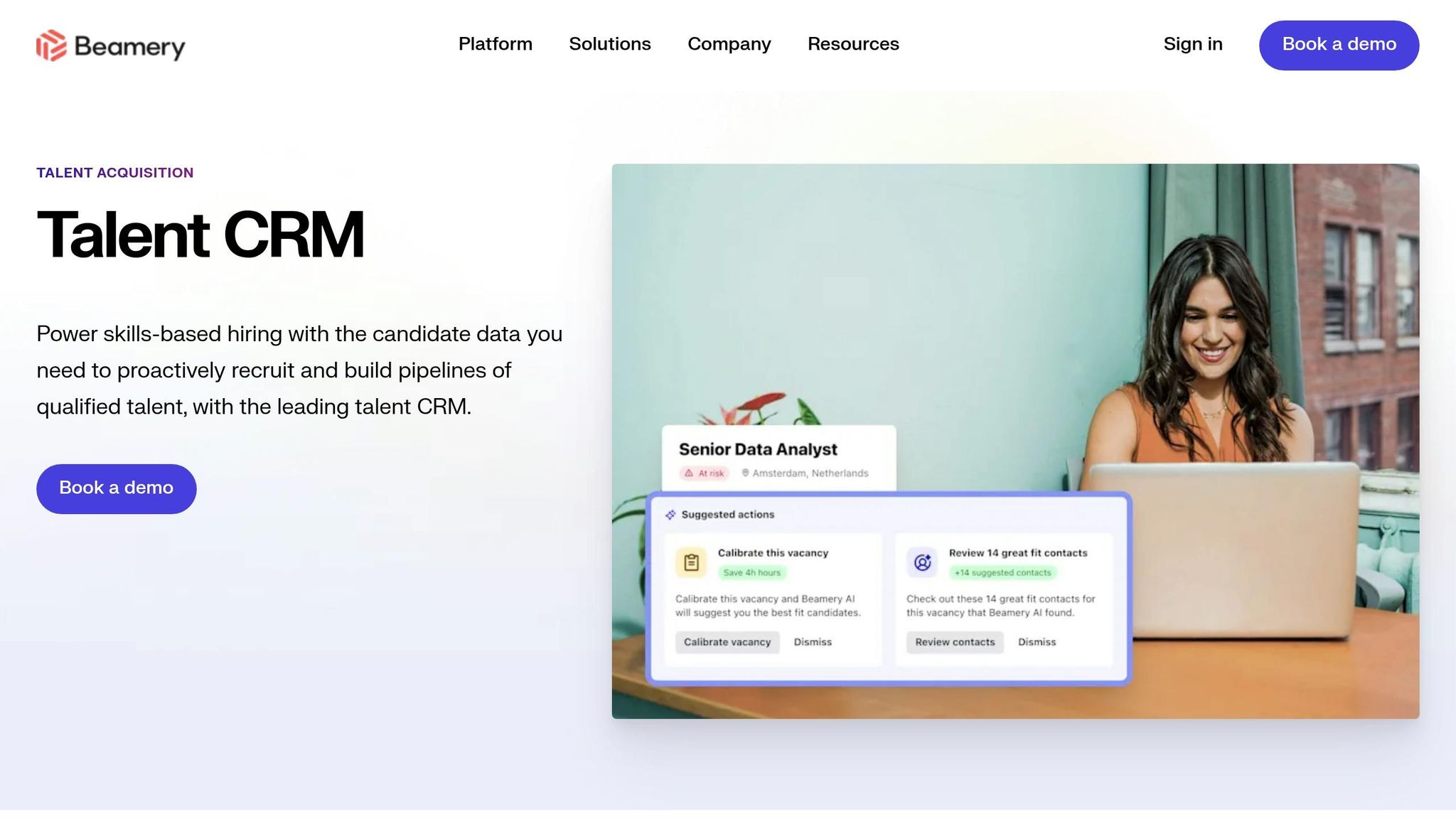
If your team already has sourcing data but needs more order, Beamery shifts the job from simply finding profiles to organising talent in a way you can use.
It suits teams that need structured talent mapping, tighter targeting, and clearer reporting. That matters when hiring volume starts to climb and loose sourcing habits begin to cost time.
### AI-powered recruitment tools for Search and Matching
Beamery lets recruiters filter talent by skills, location, and seniority. In plain terms, it helps you move from broad hiring goals to defined sourcing plans.
Instead of searching in circles, your team can narrow the field faster and focus effort where it’s most likely to pay off.
Workflow Structure and Reporting
Search alone is only part of the picture. Once your team has data, workflow discipline starts to matter more.
Beamery works best when your data is clean and your workflows are clearly defined. For lean teams, that can mean cleaner sourcing, clearer reporting, and less manual coordination across the hiring process.
| Feature | Beamery |
|---|---|
| Talent Mapping | Filters by skills, location, and seniority to turn hiring goals into structured sourcing workflows |
| Reporting | Source-level visibility to support smarter targeting and consistent tracking |
| Workflow Requirements | Requires clean data and defined workflows |
Best for teams that need structured talent mapping and source visibility, not one-off search.
5. Greenhouse Talent Sourcing
If your team already hires in Greenhouse, the priority is simple: keep sourcing and pipeline data tied together from day one.
Greenhouse Talent Sourcing is built for that. It keeps candidate capture, outreach, and reporting inside Greenhouse, which means less switching between tools and better visibility into what is driving hires.
Search Depth and Talent Database Reach
Greenhouse Talent Sourcing uses a browser extension to capture profiles from LinkedIn, GitHub, and similar sources. It can also pull in contact details, which helps your team build an owned talent database instead of relying only on external platforms.
For hiring leaders, that matters. Your team keeps more of its sourcing data in-house, and that can cut repeat work when you need to reopen roles or build pipelines for future hiring.
Outreach Automation and Pipeline Workflows
After candidates are captured, Greenhouse uses automation to keep follow-up moving. Recruiters can set up personalised, automated nurture sequences, so outreach stays consistent without adding manual work at each stage.
That helps in two ways. First, recruiters save time. Second, your outreach process becomes more repeatable, which makes it easier to manage hiring as you scale.
ATS Integrations and Sourcing Analytics
The biggest upside is that sourcing, outreach, and reporting all stay inside Greenhouse. Recruiters can track source performance without leaving the ATS, which gives your team source-level reporting on candidate conversions, not just clicks. [1]
That’s a better view of hiring output. Not just where people came from, but which channels are moving candidates through the pipeline and turning into hires.
Taken together, Greenhouse is strongest when sourcing sits inside the ATS workflow, rather than as a separate process.
| Feature | Greenhouse Talent Sourcing |
|---|---|
| Candidate Capture | Browser extension captures profiles and contact details from LinkedIn, GitHub, and similar sources |
| Outreach | Personalized, automated nurture sequences |
| ATS Integration | Native integration keeps sourcing and pipeline data inside Greenhouse |
| Sourcing Analytics | Source-level reporting on candidate conversions, not just clicks |
Best for teams already using Greenhouse who want sourcing and pipeline data in one system.
6. Gem
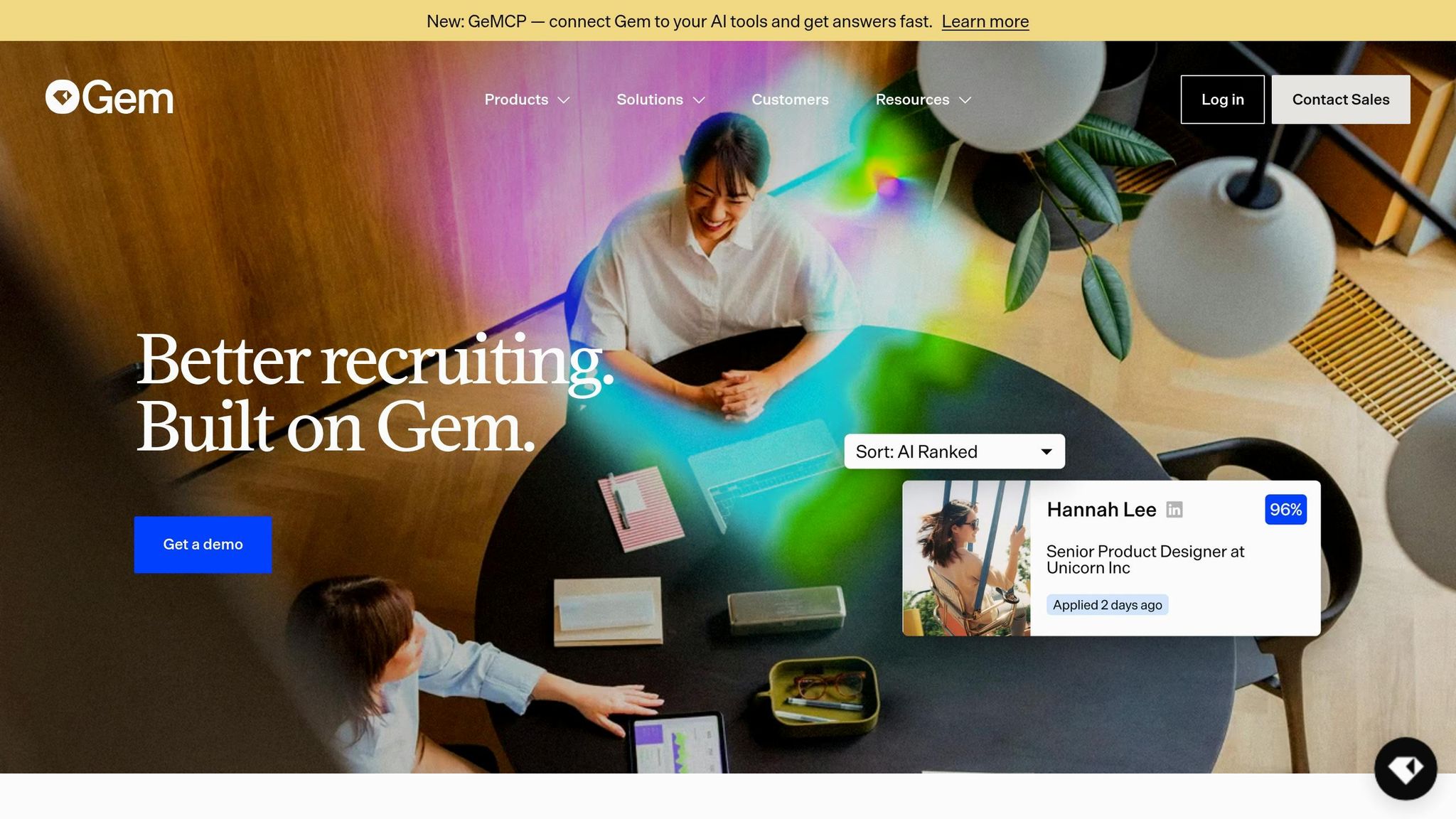
Gem gives in-house teams a clearer view of what happens after first contact.
It tracks outreach performance and shows how that activity moves through the hiring pipeline, all in one place. That matters when you need to see not just who replied, but whether those replies are turning into interviews and hires.
Outreach Performance
Gem tracks email open, click, and reply rates.
You can filter those metrics by recruiter, department, or campaign. That makes it easier to compare performance across roles and spot where outreach is working, or where it’s falling flat.
Full-Funnel Analytics and Forecasting
Gem provides recruitment reports and analytics that follow candidates from the initial sourcing touchpoint through to the final hire.
That gives you a clearer picture of where candidates drop off between outreach and hire, and which channels and campaigns are moving people forward. For hiring leaders, that means less guesswork and more control over where time and budget go.
It also uses historical data to forecast whether current pipeline activity will meet hiring targets. If you’re hiring at pace, that kind of visibility helps you act earlier, before missed targets become a bigger problem.
| Feature | Gem |
|---|---|
| Outreach Tracking | Email open, click, and reply rates by recruiter, department, or campaign |
| Pipeline Visibility | End-to-end analytics from sourcing touchpoint to final hire |
| Forecasting | Uses historical data to forecast hiring outcomes |
Use Gem when outreach performance and pipeline forecasting need to sit in the same reporting view.
7. Findem
When outreach data stops short and you need more depth, Findem shifts the lens to career patterns.
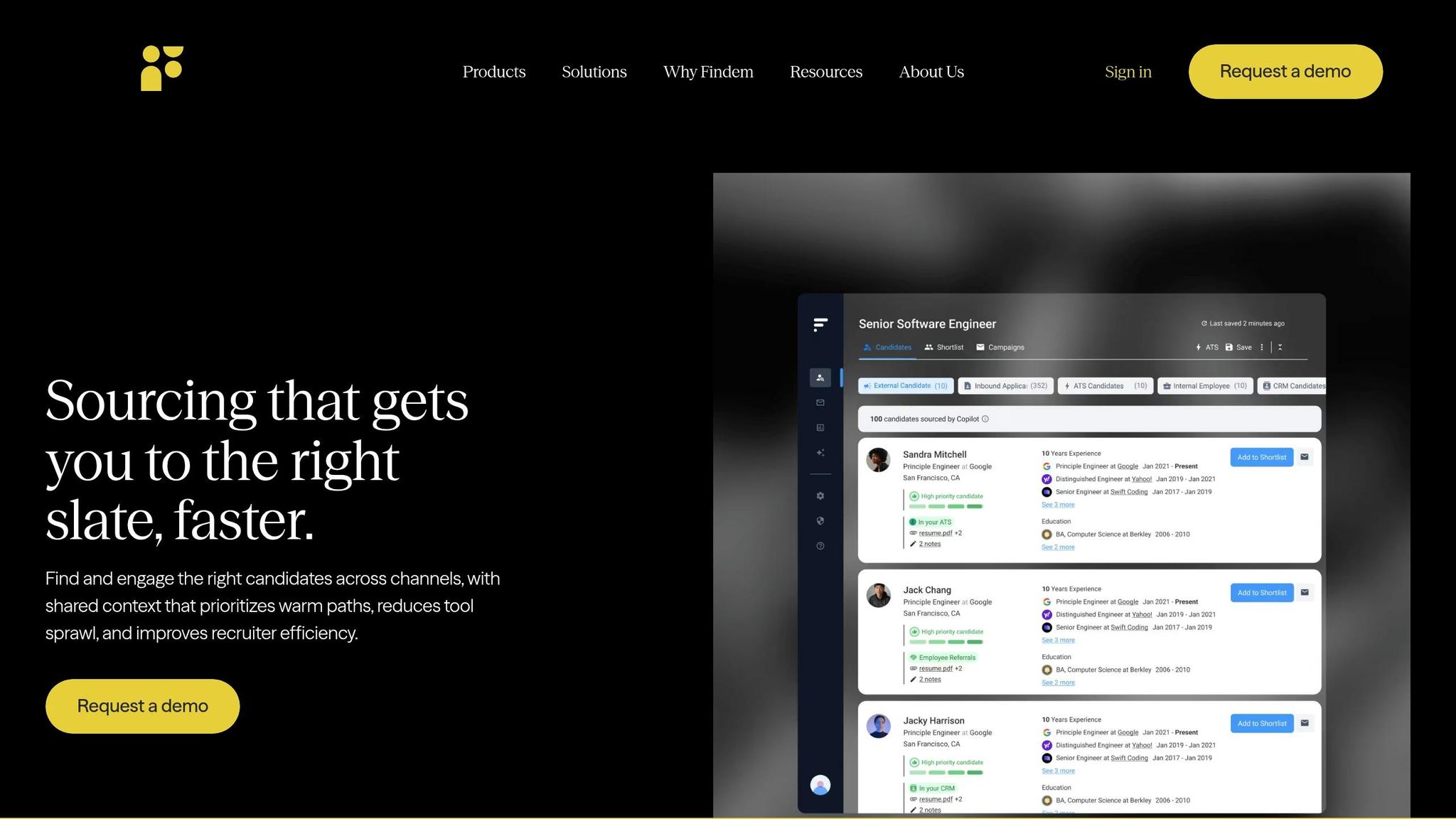
It looks at career trajectories across many data points and pulls from 100,000+ sources to build a deeper candidate profile. The point is not just the volume of sources. It is how Findem reads them over time. That gives you a better shot at building better-fit pipelines for niche hiring briefs, such as people who helped a company grow from Series A to IPO.
AI Search and Candidate Matching
Findem moves past keyword search with attribute-based search. Instead of searching by job title, recruiters search by attributes tied to career history and progression.
That matters because titles are messy. One company’s Head of Talent might look a lot like another company’s Talent Lead. Findem helps you spot the pattern underneath the title, so you can surface people with the right career path even when labels do not match.
| Feature | Findem |
|---|---|
| Data Sources | 100,000+ aggregated sources |
| Search Method | Attribute-based search |
| Core Differentiator | Trajectory-based candidate data that maps career history over time |
Use Findem when title-based search misses the career paths you need.
8. Ashby
If Findem helps you improve who you source, Ashby helps you keep that data clean, centralised, and measurable.
It works as a modern ATS and system of record for hiring teams that want sourcing data in one place. That matters when you need clear reporting, clean handoffs, and a hiring process you can actually track.
ATS Integrations and Sourcing Analytics
Ashby connects natively with specialist sourcing and CRM tools, so your team can add sourcing intelligence on top of a central database.
Those native connectors sync candidate data and touchpoints into Ashby. For hiring teams, that means pipeline activity stays tied directly to the ATS instead of getting scattered across tools.
For high-volume outbound teams, Ashby paired with a sourcing CRM gives you visibility a standard ATS often lacks. You can track pipeline conversion, response rates, and diversity-funnel performance. [2]
Ashby also supports re-engaging past candidates through integrations with tools like hireEZ. So instead of starting every search from scratch, your recruiters can work from the database you already have. [2]
| Feature | Ashby |
|---|---|
| Primary Role | Modern ATS and system of record |
| Integration Approach | Native connectors with sourcing and CRM tools |
| Key Analytics | Pipeline conversion, response rates, diversity-funnel health |
| Standout Capability | Re-engaging past candidates via integrations |
For teams running multiple sourcing tools, Ashby often becomes the layer that keeps everything connected and easier to measure.
Tool Comparison Table
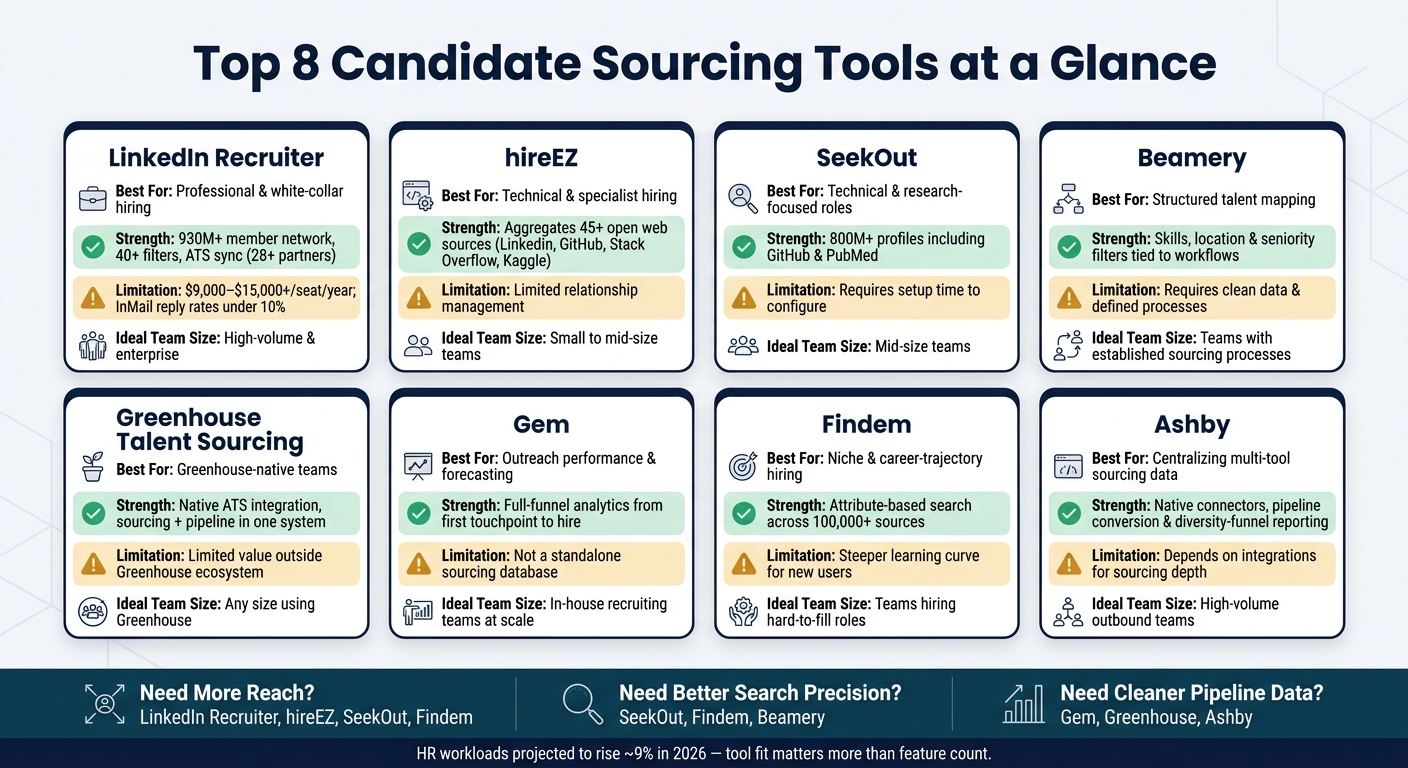
Top 8 Data-Driven Candidate Sourcing Tools Compared (2025)
Use this table to compare reach, ATS fit, workflow support, reporting depth, and cost. It gives you a quick way to weigh the tradeoffs before you commit budget or team time.
| Tool | Best Use Case | Strongest Capability | Notable Limitation | Ideal Team Size |
|---|---|---|---|---|
| LinkedIn Recruiter | Professional and white-collar hiring | Access to LinkedIn’s 930M+ member network [3] | Cold InMail reply rates under 10%; full seats estimated at $9,000 to $15,000+ per year [3] | High-volume teams and enterprise hiring functions |
| hireEZ | Technical and specialist hiring | Aggregates 45+ open web sources into one candidate view | Limited relationship management beyond sourcing | Small to mid-size teams hiring across niche platforms |
| SeekOut | Technical and research-focused roles | 800M+ profiles with specialist sources like GitHub and PubMed | Requires time to configure search for best results | Mid-size teams needing deep source coverage |
| Beamery | Structured talent mapping and pipeline management | Skills, location, and seniority filters tied to sourcing workflows | Requires clean data and defined workflows to deliver value | Teams with established sourcing processes |
| Greenhouse Talent Sourcing | Teams already running Greenhouse | Native ATS integration keeps sourcing and pipeline data in one system | Limited value outside the Greenhouse ecosystem | Greenhouse-native hiring teams of any size |
| Gem | Outreach performance and pipeline forecasting | Full-funnel analytics from first touchpoint to hire | Focused on outreach and analytics; not a standalone sourcing database | In-house recruiting teams tracking outreach at scale |
| Findem | Niche and career-trajectory-based hiring | Attribute-based search across 100,000+ sources | Steeper learning curve for teams new to non-keyword search | Teams hiring for hard-to-fill or pattern-specific roles |
| Ashby | Centralizing sourcing data across multiple tools | Native connectors for pipeline conversion, response rates, and diversity-funnel reporting | Functions as an ATS layer; depends on integrations for sourcing depth | High-volume outbound teams running multiple sourcing tools |
For lean teams, the main question is simple: which tool fixes the biggest hiring gap without adding admin overhead?
That matters more than feature volume. A tool with deep search coverage may look strong on paper, but if your team spends hours cleaning data, switching systems, or building reports by hand, the cost shows up fast in recruiter time and slower hiring.
The next step is to map these tradeoffs to your hiring motion. If you’re running high outbound volume, reporting and workflow control may matter more than source reach. If you’re hiring niche technical talent, source depth and search precision will likely have more impact on pipeline quality.
How to Choose the Right Tool for Your Hiring Motion
Use the comparison table above to line up each tool with the bottleneck slowing hiring down.
The best choice depends on what’s getting in your way:
- Broad reach into talent pools
- Search precision for niche roles
- Re-engaging past candidates from your own pipeline
- Source-to-hire reporting across multiple sourcing channels
Start with the constraint that hurts most: reach, search quality, database reuse, or reporting.
If your team is lean, unified platforms usually make more sense. When sourcing, outreach, and ATS data sit in one place, you cut admin time and give recruiters one system to run the full hiring motion.
That matters more than it sounds. Less tool-switching means less manual work, cleaner data, and better visibility into what’s driving hires.
Pick the tool that fits your current hiring motion, not the one with the longest feature list.
FAQs
How do I choose the right sourcing tool for my hiring needs?
Start by pinpointing your main hiring bottleneck. Is it low pipeline depth, too much manual screening, or poor applicant matches? That step matters, because the wrong tool adds cost, slows your team down, and still leaves hiring gaps in place.
Next, match the tool to the job. Some platforms suit niche or technical roles. Others work better for high-volume hiring, budget-conscious teams, or skills-based matching. The point is simple: buy for the hiring problem you need to fix, not for the feature list in the sales deck.
Before you commit, check the basics that affect day-to-day use and long-term cost:
- ATS integration
- Implementation steps
- Demo quality
- Data export terms
Clean ATS data matters more than most teams think. If your data is messy, reporting gets weak, workflows break down, and it becomes harder to see what is and is not working in your hiring process. And while software can save time, it should support human judgment, not replace it.
What features matter most in a data-driven sourcing tool?
Focus on features that cut recruiter admin, fit into your ATS, and help you hire faster without adding cost.
The ones that matter most are:
- Context-aware search
- Skills-based mapping
- Bi-directional ATS/CRM sync
- Automated, personalised outreach
- Candidate rediscovery
Why do these matter? Because speed on its own is not enough. If your team still spends hours cleaning data, chasing updates, and repeating manual tasks, hiring slows down and internal costs creep up.
Context-aware search helps recruiters find the right people with less back-and-forth. Skills-based mapping makes it easier to spot fit beyond job titles alone, which matters when hiring into SaaS, Technology, Fintech, Engineering, and other fast-moving sectors where titles can vary from company to company.
Bi-directional ATS/CRM sync is a big one. If your systems do not talk to each other properly, your team ends up doing double admin, and that drains time fast. Clean sync means fewer manual updates, better pipeline visibility, and less risk of good candidates getting lost.
Automated, personalised outreach can also save serious time, but only when it is used well. You want recruiters spending more time on conversations and decision-making, not sending the same message over and over. The same goes for candidate rediscovery. Before paying for more top-of-funnel activity, it makes sense to check whether strong people are already sitting in your database.
That said, tools alone will not fix a weak hiring process.
These features work best inside a structured, human-led hiring process where recruiters, hiring managers, and leadership are aligned on what good looks like, how decisions get made, and where time is being lost.
When is ATS integration worth prioritizing?
Prioritise ATS integration once hiring becomes repeatable, team-based, or spread across multiple roles. For most scaling companies, that point tends to show up when you move past 10 hires per year or hit 15 to 50 employees.
At that stage, hiring usually starts to strain internal time. Teams are sharing feedback in different places, admin builds up, and reporting gets messy. ATS integration cuts that drag.
When your ATS syncs with email, calendars, and your HRIS, you reduce manual data entry, tighten reporting accuracy, and keep the hiring workflow moving without the usual stop-start handoffs.
Put simply, you save time, get cleaner data, and make hiring easier to manage across the business.


